What you can build with Chalkroom.
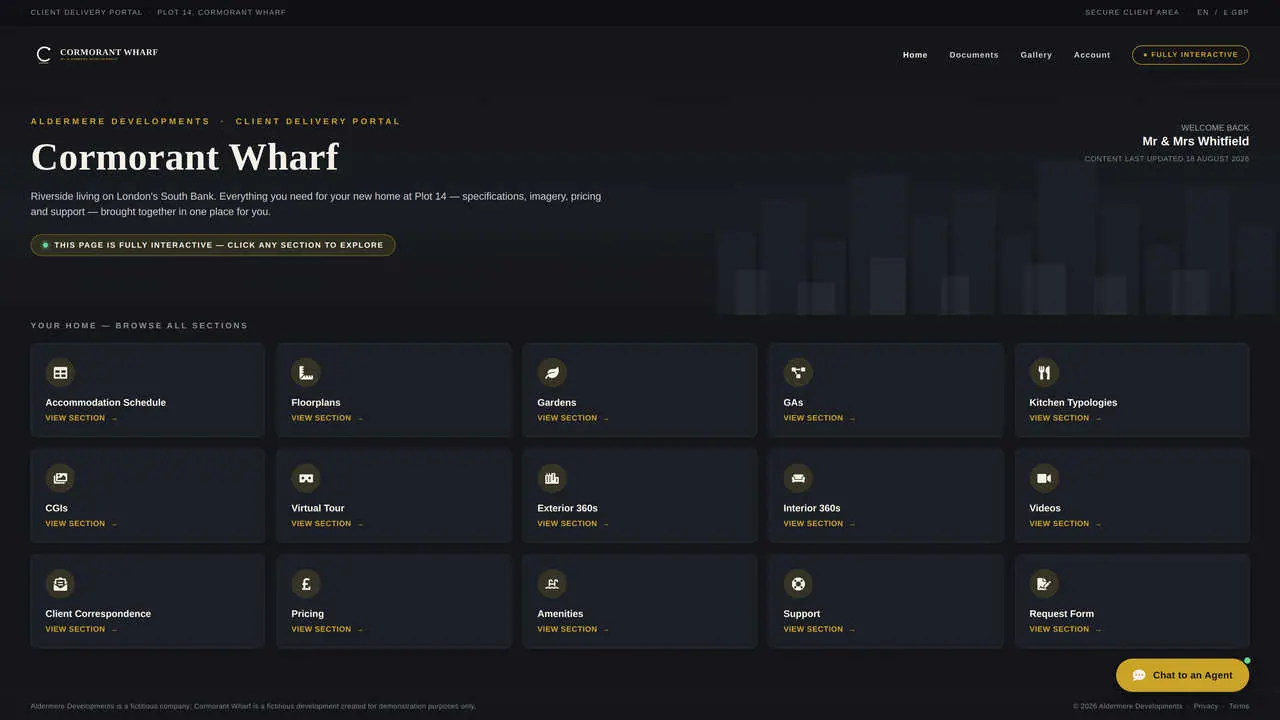
Client Delivery Portals
One branded, permanent link per client — all deliverables, reports and communications in one navigable hub. Updated live; never requires a new link to be sent.
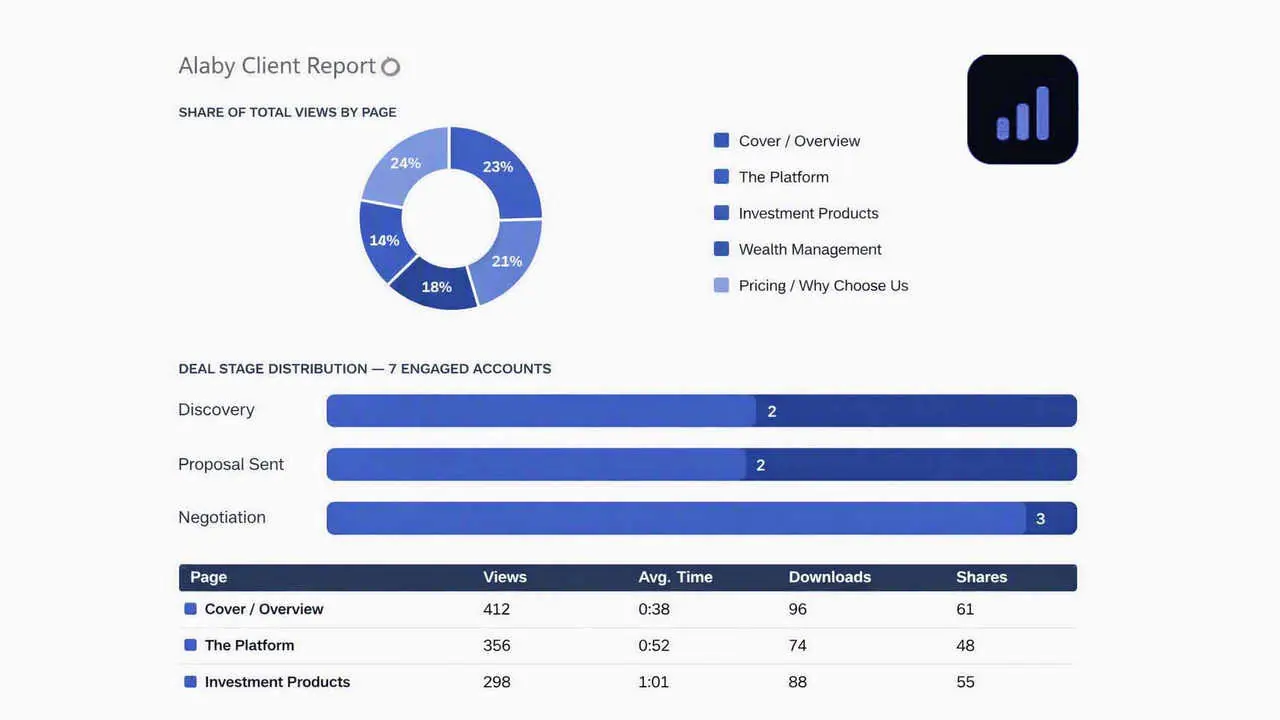
Report Sharing & Tracking
Monthly and quarterly reports presented as interactive links, not PDF attachments. See when the client opens the report and which sections they engaged with most.
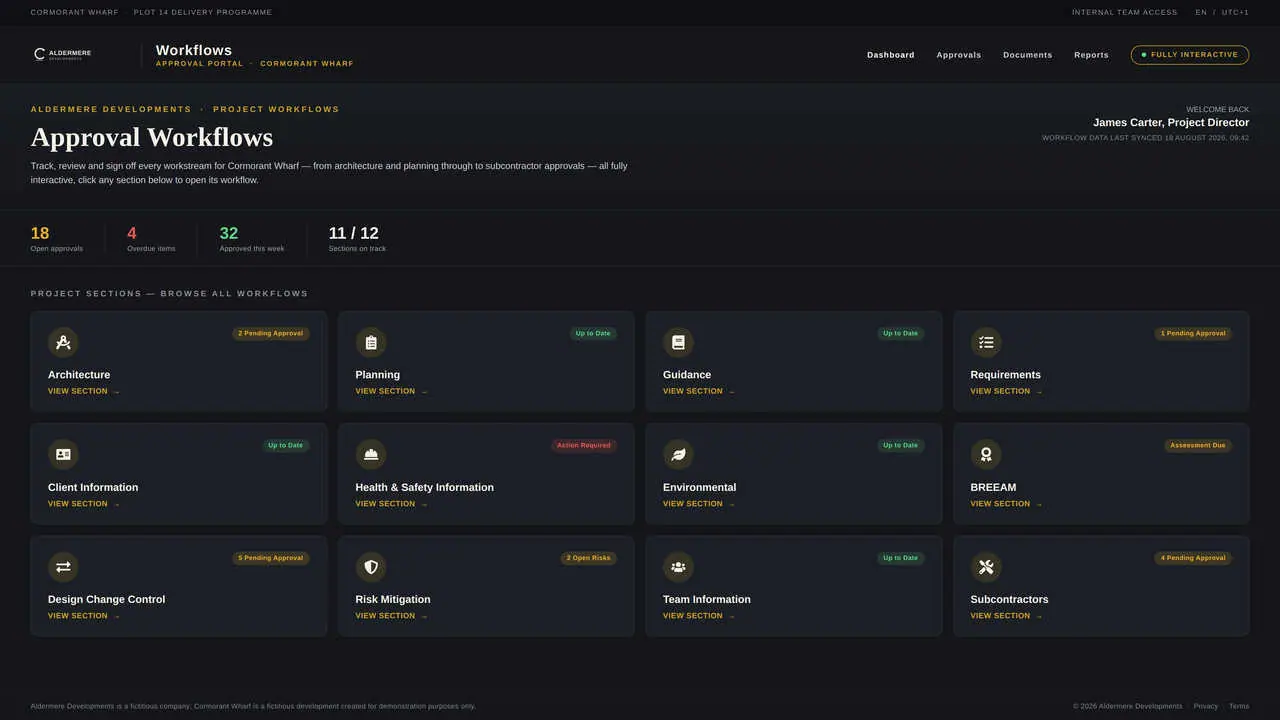
Approval Workflows
Scope changes, deliverable sign-off and change requests captured digitally in the client portal — one record, no email thread archaeology, no chasing for confirmation.
We understand your world.
Deliverables sent as email attachments that get buried in cluttered client inboxes
No single record of what was delivered, when, and whether the client approved it
Monthly reports sent as PDFs that clients rarely open or meaningfully engage with
Chasing clients for approvals across multiple email threads with no clear audit trail
Client portals that feel too generic — undermining the quality of the relationship
Different account managers using different systems for the same client, creating an inconsistent experience
Built for your workflow.
Client portal per account
One permanent branded link per client. Every deliverable, report and update in one organised, navigable hub.
Delivery tracking
Know when the client opened a deliverable, which sections they engaged with, and whether they shared it internally.
Approval capture
Digital sign-off on deliverables, scopes and change requests — one link, one timestamp, one clear record. No email thread archaeology.
Live-updating content
When monthly numbers land or scope changes, the portal updates without the link changing. Clients never have to ask which version is current.
Account health signals
Engagement data across all client-facing content gives account managers an early signal of client health before the next check-in call.
Multi-stakeholder access
One portal, multiple client contacts. Control who sees what within a single account hub without creating separate links.
Common questions.
An effective account management client portal gives clients a single, permanent place for everything related to their account. It should contain five elements:
- Deliverables hub — all completed and in-progress work in one navigable space, not scattered across email threads
- Status updates — project or retainer progress communicated in context, not as a separate email
- Reports and analytics — monthly or quarterly reporting presented interactively, not as PDF attachments
- Approval centre — a clear place for the client to review and sign off on work, with a timestamped record
- Contact and next steps — who to contact, what's coming next, and how to raise a query
The most important quality of an account management portal is permanence — one link that doesn't change, so clients always know where to go.
Most account managers track deliverable approval through email — which creates three problems: approvals get lost in thread archaeology, there's no clear record of what version was approved, and chasing clients for sign-off takes time that should be spent on the work. Chalkroom's approval workflow addresses all three:
- Deliverables are shared as a link in the client portal — not sent as a separate email attachment
- The client reviews and approves directly within the portal — one action, one timestamp, one record
- The account manager receives a notification the moment approval is given — no chasing required
Every approval lives in the portal against the relevant deliverable. The audit trail is automatic — no manual logging required.
The challenge of managing many client portals simultaneously is organisation and consistency — ensuring each client's portal feels premium and current without the account manager spending hours maintaining it. Three practices make this manageable:
- Template-based setup — each new portal starts from a consistent structure, not a blank page
- Centralised content updates — when shared assets (credentials, team profiles, process documents) are updated in the library, they update across all portals automatically
- Activity monitoring — a clear view of which clients are actively engaging with their portal and which haven't opened recent deliverables
Chalkroom is designed for account teams managing multiple simultaneous client relationships — not for one-off project handoffs.
Google Drive folders are unbranded, untracked, and fragile — links break, permissions confuse clients, and there's no visibility into what's been read. A Chalkroom client portal differs in four ways:
- Branded to your organisation — not a generic Google interface that commoditises the relationship
- Trackable at the document and section level — you know what the client has opened and engaged with
- Structured as a curated experience — a logical navigation, not a folder of files with no context
- Live-updating without the link changing — when deliverables update, the portal reflects it without the client needing a new link
A client portal is a relationship asset. A shared Drive folder is a filing cabinet. Clients who receive a premium portal experience perceive more value in the work it contains.